 evomedia.net
Appearance
Trial and billing
Each app is billed separately. Subscribing to one app doesn't subscribe you to another, and a payment problem with one never locks your team out of the rest.
Billing is handled by Stripe. Card details are entered on Stripe's own pages — the apps never see or store them.
Your trial
Signing up starts a 14-day trial of the app you signed up through. No card is required to start, and the app works normally during the trial. When the trial ends, sign-in to that app is refused until you subscribe — your data is untouched and comes straight back when you do.
Other apps aren't included: each starts its own trial or subscription when your workspace begins using it.
Subscribing
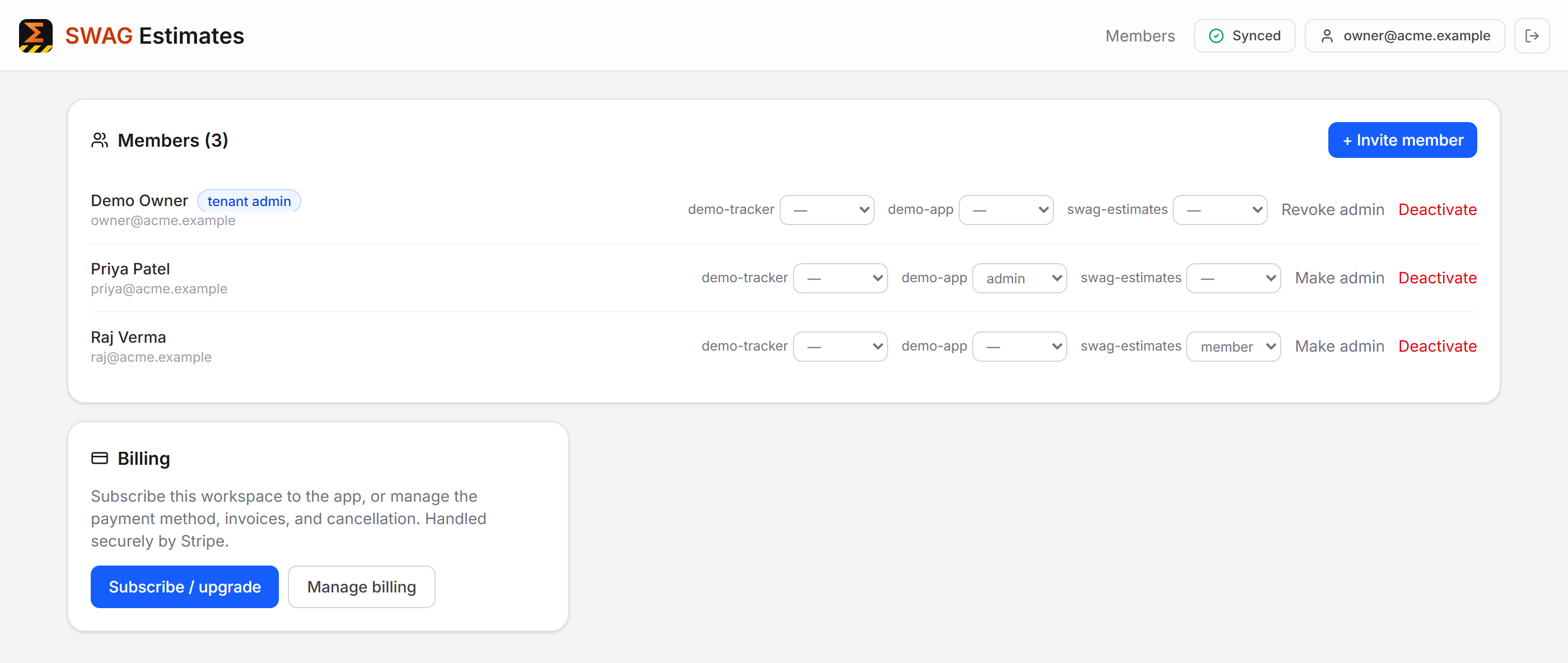
- Open Members → Billing (workspace admins only; unlock the Members page first).
- Click Subscribe / upgrade. You'll be handed to Stripe's secure checkout.
- Complete payment. Access updates automatically when Stripe confirms — no waiting on anyone to switch it on manually.
Managing an existing subscription
Members → Billing → Manage billing opens the Stripe billing portal, where you can:
- update or replace the card on file
- download invoices and receipts
- cancel the subscription
If a payment fails
- Your access continues during a 7-day grace period — nobody is locked out while you sort it out.
- Update the card in Manage billing.
- Once the outstanding invoice is paid, everything is restored automatically.
If the grace period closes without payment, sign-in to that app is refused until the subscription is current. As always, this affects only that one app.
Common questions
Does cancelling delete our data? No. Cancelling ends access to that app; your workspace and its data remain.
Can different people pay for different apps? Billing is per workspace, per app. Any workspace admin can manage any of the workspace's subscriptions.
Who can see billing? Only workspace admins, and only after confirming their password on the Members page.