 evomedia.net
Appearance
evo.ablecamera
Alpha, and in development. Built for one person first - see below - and being made worth other people's time as it goes.
Camera control for the people a camera's own controls leave out.
If you have a physical disability - if holding a camera steady, working a dial, or hitting a small target is difficult or impossible - everything here is a large button with words in it, a single key, or both. Nothing needs a steady hand, a sustained hold, or two things at once. It can be driven end to end by keyboard, switch, voice control or dwell input.
If you have a vision impairment - every control says what it is in words, every press is answered aloud through a live region, and one setting scales the type, the targets and the gaps between them together. The level and the histogram are said - "Right side 2 degrees low", "Dark, about 2 stops under" - rather than left as a shape to interpret. Dark, light and following the device are all offered, and the colours are checked against WCAG contrast in the tests.
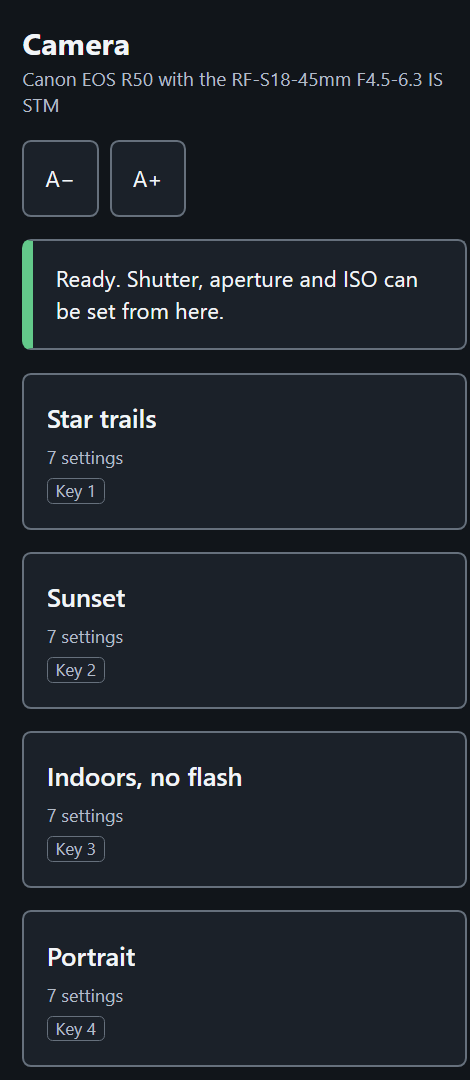
If you are new to cameras - the buttons say Darker and Brighter rather than 1/250 and f/5.6, presets are called Star trails and Sunset rather than a row of numbers, and a new install arrives with seven real setups to press and learn from. When something cannot be done it says so in a sentence you can act on - "Aperture f4.5 instead of f2.8, 1 stop and 1/3 darker" - instead of failing quietly.
A small program runs on a PC or a Raspberry Pi beside the camera and serves a web page you open on a phone, a tablet, or the PC itself.
Canon's own apps - Camera Connect, EOS Utility - assume fine motor control and some fluency with the vocabulary: small tap targets, drag-to-set dials, nested menus, press-and-hold gestures. Nothing here does. The whole page also works in a screen reader and with scripting switched off.
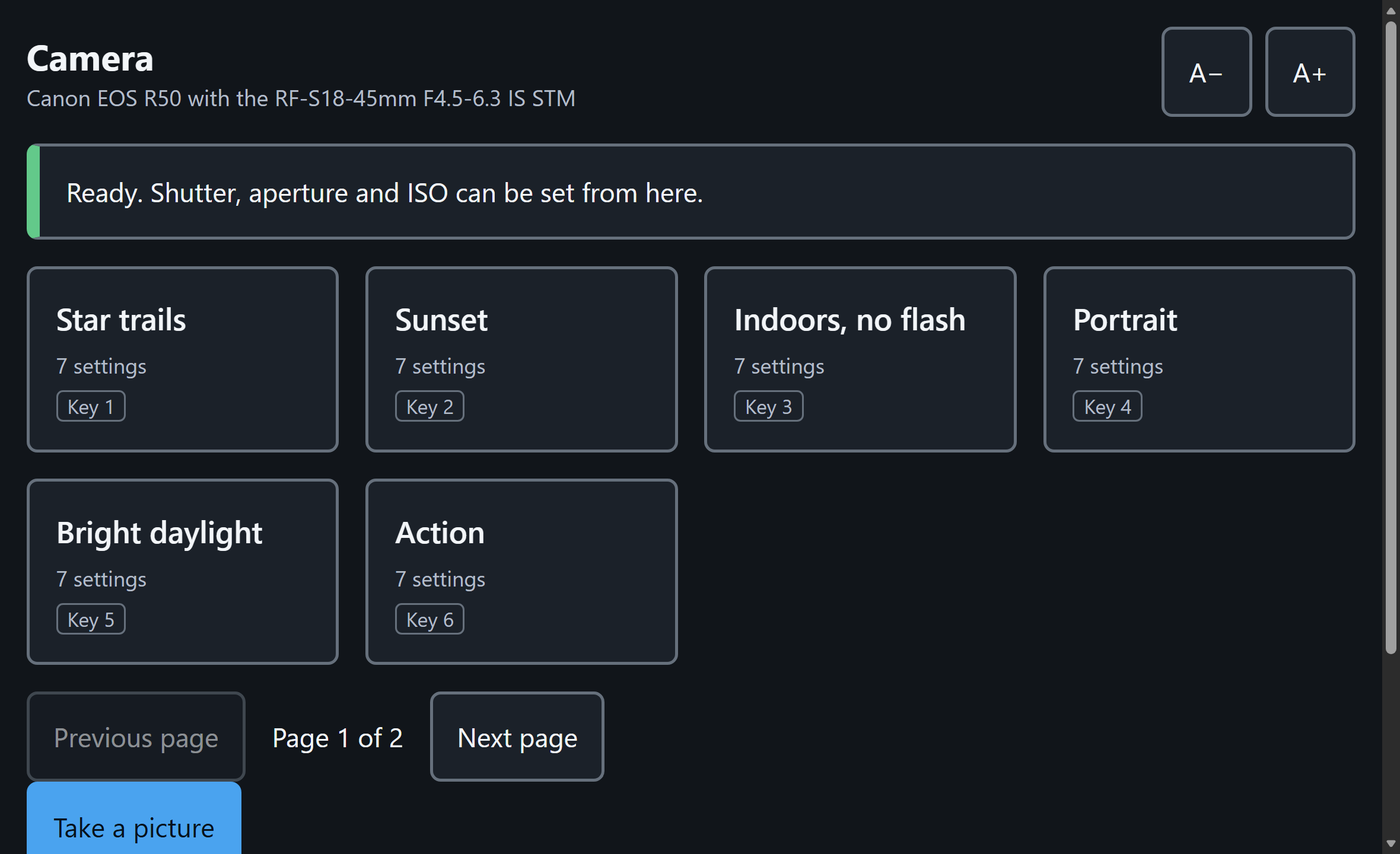
It talks to the camera over Wi-Fi using Canon's own Camera Control API, so nothing is installed on the camera, and everything it changes there - auto power off, the mode dial - it changes back.
Start here
| Guide | What it covers |
|---|---|
| Getting started, step by step | From the box to the first picture, with what you should see at each step |
| Getting connected | The camera's Wi-Fi, joining it from Windows, Android or an iPhone, and what to do when the camera is not found |
| A tour of the page | What is where, and why |
Using it
| Guide | What it covers |
|---|---|
| Shoot | Taking a picture, the three dials, drive mode, bursts, focusing before the shot |
| Focus | Pressing the picture to focus there, checking focus at full size, peaking and the score, driving focus from the phone |
| Presets | Saving the camera under a name, using one in a press, seeing what one holds, renaming and deleting |
| Setup | Restarting and updating the app, finding a different camera, image quality, the level and the histogram |
| Signing in and syncing presets | An account, and the same presets on every bridge you use |
| Ask AI | One press per question, an answer grounded in the camera's manual, and a preset from it |
| Troubleshooting | What each message means and what to do |
Reference
| Page | What it covers |
|---|---|
| Keys | Every shortcut - one key each, never a chord |
| Command line | Starting the page, and the diagnostic commands |
| Which cameras | The EOS R50 it is built for, and the R100 |
Try it without a camera
ablecamera.evomedia.net is the same page against a camera that exists only in memory. Every button works, the dials answer, presets apply and report what they could not do, and nothing you press there reaches a real camera. It is there to be judged by pressing.
Who it is for, and who built it
Photographers a camera's own controls leave out: people with a physical disability, people with a vision impairment, and people who simply have not learned what an aperture is yet. The three want different things from the same page, and mostly the same things - big labelled targets, plain words, and being told what happened.
It is built by someone who needs it. The first user is physically disabled, types one key at a time with a mouthstick, and uses a trackball; his own camera is an EOS R50 he has trouble operating. Every decision here is measured against one question - can he take the photograph he wants without reaching for the camera? - and anything that still needs a hand on the body is unfinished work.
That is also why it is being built for other people and not as one desk's workaround. Canon sells saved shooting modes on the bodies above this one, and the people most in need of a saved setup are often the least able to buy the camera that has them.