 evomedia.net
Appearance
Presets
A preset is the camera's settings — shutter speed, aperture, ISO, white balance, drive, focus mode and the rest — under a name. Pressing one puts the camera back to that setup. The button says Star trails, not 30" f/4.5 ISO 1600.
Canon puts saved shooting modes on the dial of its dearer bodies; the R50 and R100 have none. This is where they live instead.
What a new install arrives with
Star trails, Sunset, Indoors no flash, Portrait, Bright daylight, Action and Close up — real setups rather than "Preset 1", so the grid teaches what the controls do before anything is pressed. They are safe on any lens: a value the mounted lens cannot take is replaced with the nearest it can, and the replacement is said.
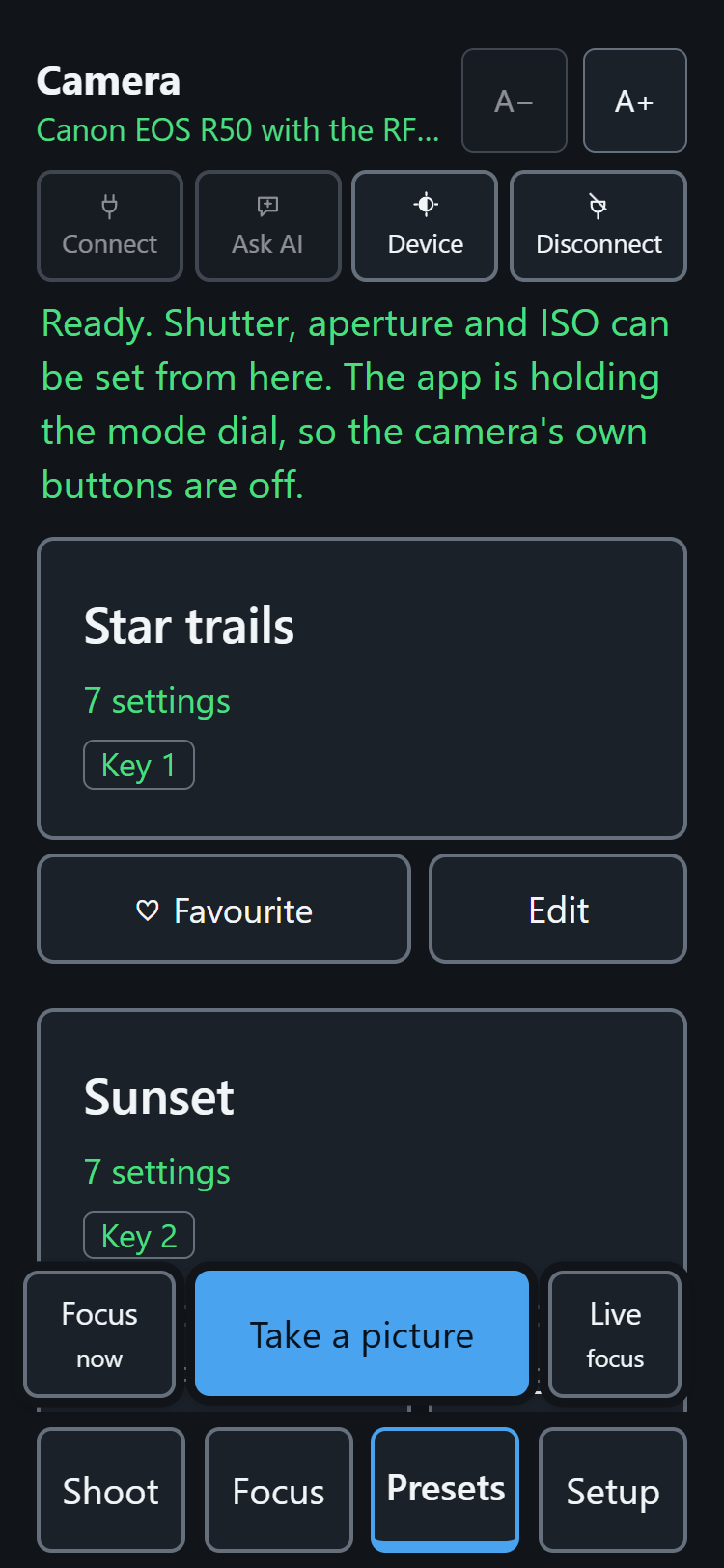
Six to a page, with Next page at the foot.
The four astro presets
Page two carries four more, for a camera pointed at the sky:
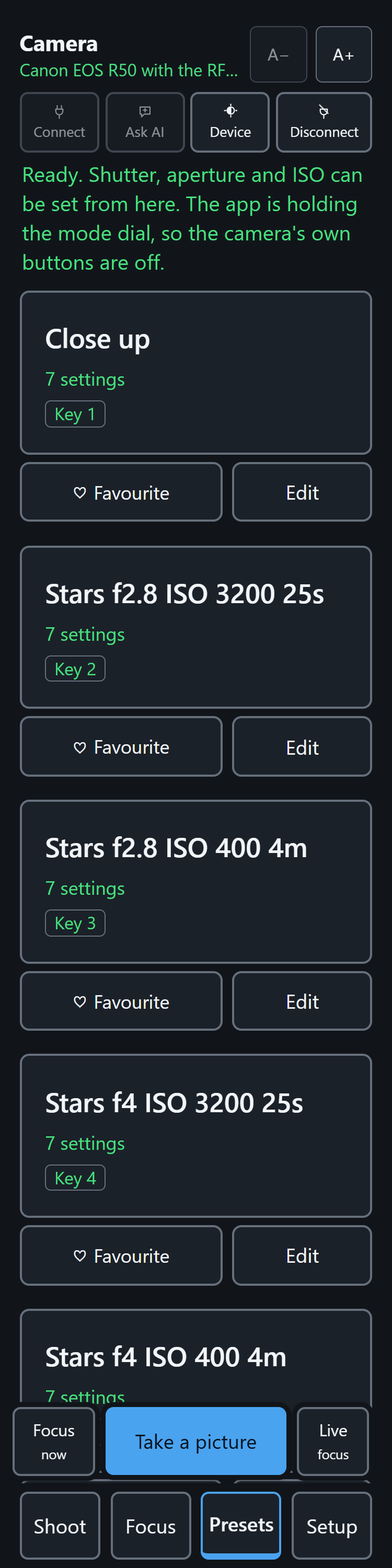
| Preset | Shutter | Aperture | ISO |
|---|---|---|---|
| Stars f2.8 ISO 3200 25s | 25 seconds | f/2.8 | 3200 |
| Stars f2.8 ISO 400 4m | bulb, 4 minutes | f/2.8 | 400 |
| Stars f4 ISO 3200 25s | 25 seconds | f/4 | 3200 |
| Stars f4 ISO 400 4m | bulb, 4 minutes | f/4 | 400 |
They come in pairs. The 25 second ones are for a camera on a fixed tripod — short enough that stars stay points rather than becoming dashes on a wide lens. The 4 minute ones are for a camera on an equatorial tracker, which turns with the sky so a much longer exposure stays sharp. Each pair is the same exposure to within a quarter of a stop, so frames from both can go into one stack — the tracked ones far cleaner, for having spent their light on signal instead of on ISO.
The aperture is in the name because the app often cannot set it. A fully manual lens has no electrical contacts, so the camera can neither read nor change its aperture, and the app will say so. The name is the instruction for which way to turn the ring.
f/4 is a whole stop darker than f/2.8 at the same shutter and ISO, and nothing here quietly makes that back — stopping down buys sharper corners and costs light, and a preset that changed the ISO you asked for would make its own name wrong.
Deleting, and what comes back
Deleting one means deleting it; the grid never refills itself behind your back. A preset added to the app after you installed it is different — that one has never been offered, so it arrives once, on the end of the grid, and never again if you throw it away.
Using one
Press the card, or its number key (1 to 9). The page says what it did, and anything it could not do:
Star trails applied, with one setting different. Aperture: f4.5 instead of f2.8, 1 stop and 1/3 darker.
"Two stops darker" is something a photographer can act on; the substitution only happens where values lie on a line (shutter, aperture, ISO, exposure, colour temperature). White balance either matches or is reported, never guessed.
Saving one
Save these settings as — at the foot of Presets, or the S key — keeps the camera exactly as it is now. The name box arrives already filled with a name good enough to save without typing, so saving is one press; rename it later if you like.
A preset without shutter, aperture and ISO in it would do nothing useful when pressed, so if the camera is setting the exposure itself (a Basic Zone mode) the page says so and saves nothing.
Opening one: what it holds
Every card has an Edit button. It opens that one preset — one at a time, and the same button closes it — and the first thing shown is what it holds: each setting in the words the page uses everywhere else and in the order the Shoot dials use, and which body and lens it was captured from and when. It is said aloud on opening too.
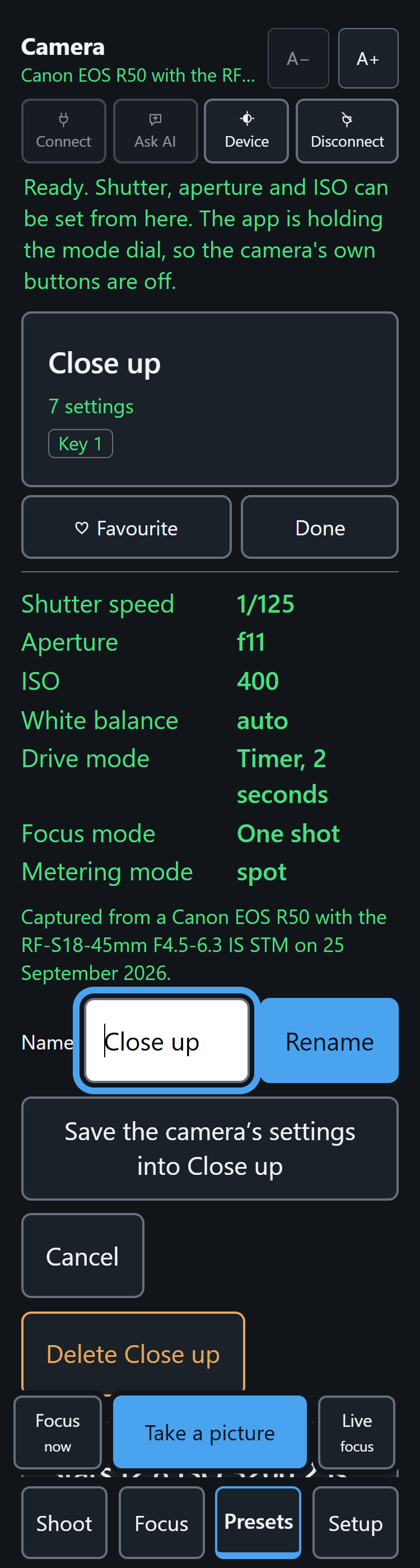
Below that, three presses:
- Rename — the box arrives holding the current name, so changing one word is not retyping the lot. A name another preset already has is refused.
- Save the camera's settings into this — no typing at all: press the preset, move the dials, then press this. The page says exactly what moved — Aperture f4.5 to f5.6, ISO 400 to 1600 — and leaves a preset that already matches alone. The name, the place on the grid and the heart stay.
- Delete — asks first, and the safe answer holds the focus.
Hearts and order
The Favourite heart beside each card moves it to the front of the grid; Top moves one to the very front among the hearted. The first few hearted presets are the ones Shoot carries, so the heart is both "I like this one" and "put it where I can reach it". Heart as many as you like.
The grid is paged when it grows: P and N move between pages.
Presets that follow you
Signed in, presets sync between every bridge you use — see Signing in and syncing presets. And Ask AI turns an answer into a preset in one press.